


Sideline: 2nd Phone Line App
3.826.03K Reviews
App Specs
- Version
- 13.25
- Updated On
- License
- Free
- Downloads
- 5,000,000+
- Developer
- Pinger, Inc
- Categories
- Communication
- Platform
- Android, iOS
Screenshots
 Analysis by AppCompare
I judge a second-number app less by how many features it lists than by whether I can tell which line I’m using before I reply. That distinction matters when a client texts during family time or a delivery call arrives while I’m working. Sideline: 2nd Phone Line App is designed for that everyday separation: it gives you another number for calls and texts in the same mobile setup, rather than asking you to carry a second handset. I find that idea useful, but the real value depends on how clearly the app fits into your routines and whether a separate line is enough for the privacy you need.
Finding the right line without extra mental effort
Sideline is a communication app from Pinger, Inc. Its central job is straightforward: keep a second number available for conversations that don’t belong on your main line. For someone who regularly switches between personal and work contacts, that can be easier to manage than handing out a personal number and trying to sort everything out later.
The app’s appeal is not that it replaces every part of a business phone system. It is that a second line can make a phone feel less muddled. I’d use the extra number for one clearly defined purpose—such as client enquiries or marketplace messages—and keep that boundary consistent. Naming the role of the line in your own habits, and using its voicemail and replies to reinforce that role, can make it easier to recognize the context of a conversation when you’re busy.
The store gives Sideline a 3.8 average from around 63,000 ratings, and it has been installed over five million times. Those figures suggest plenty of people have tried the idea, but they don’t tell me whether it will suit a particular workflow. I’d treat the app as a practical option to test with a small number of low-stakes conversations before moving important client communication over to it.
Readability and navigation in everyday use
The published experience describes a clean interface and a setup process that does not demand much technical knowledge. That matters for a tool people may open between errands or while responding to a new enquiry, rather than sitting down to configure an elaborate phone system. I would still take a moment at setup to understand which number is active for each conversation; clarity at that point is more valuable than speed.
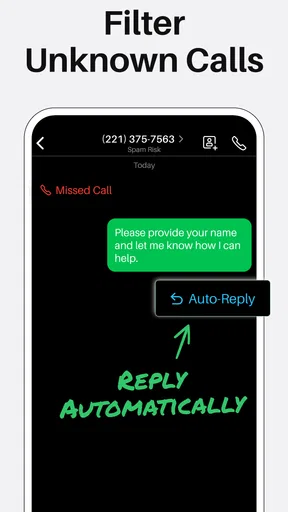
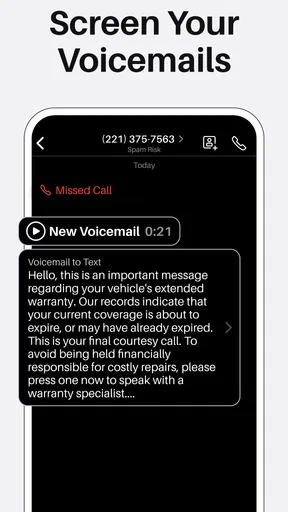
Sideline’s custom voicemail and auto-reply options can also reduce the amount of explaining you have to do yourself. A concise greeting can tell callers they’ve reached your work line, while a reply can set expectations when you can’t answer. The useful distinction is between setting these messages up thoughtfully and assuming they will manage every interaction automatically. I’d keep the wording short, neutral, and suitable for anyone who might contact that number.
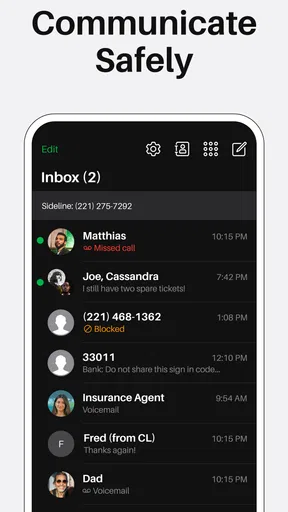
Texting from the additional number helps keep a conversation attached to the purpose for which you shared it. For example, if I use the line for selling an item, I can keep those messages apart from family chats rather than having every exchange arrive under the same number. That separation is helpful, though it still depends on my remembering which number I gave out and checking the right conversation before sending a reply.
Worth Reading Before You Choose

EA SPORTS FC Mobile 26 Is a Bigger Football Game, but It Takes Time

Flipboard Shows What News Apps Must Do Beyond the Feed

Switching to Android Auto Means Rethinking Your Driving Routine

Google Calendar Makes a Crowded Week Easier to Manage

Ludo King Makes the Most of the Minutes Between Plans

Baby Panda World Brings Quick Play to Modern Phones, but Its Game Library Feels Busy
Motor and sensory considerations
For people who find repeated phone changes or carrying extra equipment inconvenient, an app-based second line is a simpler arrangement than keeping a second handset close by. Sideline also brings calls and texts into a phone-based workflow, which may be preferable to switching between separate devices. I wouldn’t assume that convenience alone makes the interface suitable for every ability, though: anyone who relies on particular visual, hearing, or motor settings should try the actual screens and call flow on their own device before making it central to work.
Auto-replies can be useful when typing is awkward, your hands are occupied, or you need to step away from the phone briefly. They are best treated as a small assist, not a substitute for a real response when a conversation needs detail. A prepared message should avoid promising a reply at a time you cannot guarantee, and I’d review it whenever the line’s purpose changes.
Situational access: work, errands, and personal boundaries
A realistic use case is a freelancer who shares a second number with clients, then uses its voicemail to identify the line and an auto-reply when unavailable. During a busy afternoon, that person can decide whether to answer immediately or return the call later without giving every new contact their personal number. A small business owner could use the same approach for enquiries, while someone selling belongings could reserve the line for arranging pickups. These are useful boundaries, not complete privacy guarantees: people still need to think carefully about what they share in calls and messages.
Sideline is free to download, with in-app purchases ranging from about a dollar to around $130 per item. I’d look at the purchase details inside the app before relying on a particular capability or building it into a routine. The base price makes it approachable to try, but optional purchases mean it is worth deciding what you actually need before spending. The app is rated for Everyone, and its current version is 13.10; it requires iOS 9 or later. It was released in 2015, so I’d check compatibility on the device I plan to use rather than assuming that every older phone will behave the same way.
Why Sideline?
When I first heard about the Sideline App, I was a bit skeptical. I mean, do I really need another phone line? But once I started using it, I realized how much easier it made managing my calls and messages. It's like having a virtual assistant without the hefty price tag.
Setting It Up
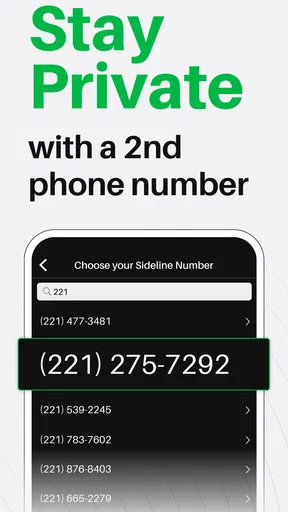
Getting started with Sideline is a breeze. I downloaded it from the app store, and within minutes, I was up and running with my new number. The app guides you through the setup process, and before you know it, you're ready to go. It's intuitive and doesn't require any tech wizardry, which is a huge plus in my book.
Features That Stand Out
Sideline offers a plethora of features that cater to both personal and professional needs. From customizable voicemail to auto-reply options, it's like having a fully equipped office phone system right on your mobile device.
- Custom Voicemail: Record different greetings for different contexts. Imagine having a professional voicemail for clients and a fun one for friends.
- Texting: Yes, you can text from your new number! It's perfect for keeping conversations organized.
- Auto-Reply: Can't answer a call? No problem. Set up auto-replies to keep your callers informed.
Performance and Usability
One of the things I love about Sideline is its reliability. The call quality is top-notch, with no noticeable lags or dropouts. Texts are delivered promptly, and the app runs smoothly without any glitches. It's clear that the developers have put a lot of effort into ensuring a seamless user experience.
The interface is clean and user-friendly, making navigation a breeze. Even if you're not tech-savvy, you'll find it easy to access all the features Sideline has to offer. Plus, the app doesn't hog your phone's resources, so you don't have to worry about it slowing you down.
Who Can Benefit?
So, who exactly is Sideline for? If you're a small business owner, it's a game-changer. You can separate your work and personal calls without carrying two phones. Freelancers can also benefit immensely by using it to maintain a professional image with clients.
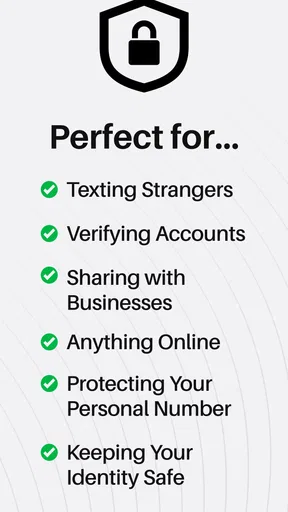
Even if you're not running a business, having a second line can be incredibly useful. Whether it's for online dating, selling items, or even just for privacy, Sideline offers a versatile solution.
Comparing a second line with the usual alternatives
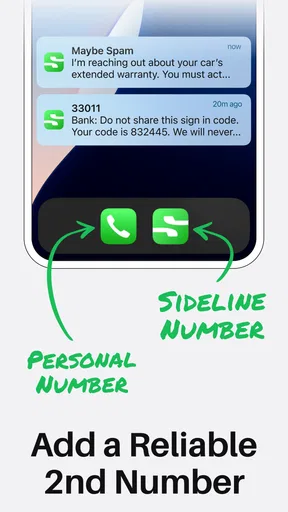
Compared with giving every contact your main number, Sideline offers a cleaner boundary: you can share a dedicated number for a project or temporary purpose and keep your personal line out of those conversations. Compared with carrying two phones, it avoids the burden of another device, though it also means the second line depends on the same phone and app you already use. If you need separate hardware, a distinct work device may be the better fit.
It also differs from a full business phone system. The voicemail, texting, and auto-reply tools cover useful everyday needs, but a growing team that requires shared call handling or a formal office workflow should compare dedicated business services rather than assume a single-user second line will scale to every job. I’d choose Sideline when the problem is “I need another number on my phone,” not when the problem is “I need to coordinate a whole team.”
Remaining barriers and practical trade-offs
The main habit to build is checking the line before responding. If a message comes in while you’re moving quickly, a rushed reply from the wrong number can undermine the separation you wanted. I’d make the second number’s purpose memorable, keep its greeting aligned with that purpose, and pause before starting a new conversation. These small routines do more for organization than simply installing another communication app.
There is also a trade-off between convenience and availability. Keeping a work line on the same phone makes it easy to answer, but it can make it harder to mentally switch off. A useful approach is to set a personal rule for when you check that line and let the voicemail or auto-reply handle times when you are not available. If you need a strict boundary, a separate device or a business arrangement with clearer coverage may suit you better.
For sensory access, a second number may reduce device juggling, but it does not remove the need to hear or speak during calls, read messages, or navigate the app. I would test the tasks that matter most—finding a conversation, recognizing its line, composing a reply, and recording or changing a greeting—before relying on it for essential communication. People who use assistive settings should check whether those settings work comfortably with the app’s specific screens and call flow.
Who should choose it—and who should look elsewhere
I’d recommend trying Sideline if you are a solo freelancer, a small business owner, or someone who wants a separate contact number for a limited purpose without carrying another phone. It can also help with a short-term activity such as arranging sales or keeping a personal number private from casual contacts. Start with one use case, tell a trusted contact which line to use, and see whether the separation actually makes your day easier.
I’d skip it if you need a second line to be completely independent of your main phone, if you need a team-managed phone operation, or if your preferred way of communicating depends on accessibility support you have not tested in the app. It may also be unnecessary if you rarely receive calls or messages from people you don’t know; a new number is only useful when it solves a real boundary or organization problem.
Inclusive verdict
Overall, I see Sideline as a focused way to add another communication identity to the phone you already carry. Its strongest case is practical: separate a work, selling, or privacy-conscious number from your personal one, then use voicemail and auto-replies to make that distinction clearer. The approach is easy to understand, but good results still depend on choosing a purpose, checking the correct line, and being realistic about what a second number can and cannot protect.
Sideline is not the right answer for every communication need, and I wouldn’t treat it as a replacement for a dedicated business system or a second handset when those are genuinely necessary. For people who want a manageable extra number and are comfortable testing the app’s call and text flow on their own device, it is a reasonable option to explore. I’d recommend it most when the extra line will simplify a specific part of your life, rather than simply adding another inbox to check.
Final Thoughts
In a world where communication is key, having a tool like Sideline can make all the difference. It provides the flexibility and functionality needed to manage multiple numbers effortlessly. With its robust features and seamless performance, it's definitely worth checking out if you need that extra line.
So, are you ready to take control of your calls and texts? Give Sideline a try and experience the convenience of having a second phone line at your fingertips.
Pros
- Easy to set up and use for all users.
- Offers a professional voicemail feature.
- Allows number porting for flexibility.
- Integrates seamlessly with existing contacts.
- Customizable text and call settings.
Cons
- Ads can be intrusive for some users.
- Limited features on the free version.
- Occasional call quality issues reported.
- Higher cost compared to similar apps.
- No support for international texting.
FAQs for Sideline: 2nd Phone Line App
What is Sideline: 2nd Phone Line App used for?
Sideline is designed for users who need an additional phone line without purchasing a second device. It’s ideal for separating personal and business communications, allowing you to maintain privacy while managing calls, texts, and voicemails efficiently. Users can customize their second line with features like voicemail greetings and call forwarding.
How does Sideline handle call quality and reliability?
Sideline uses your carrier network instead of VoIP, ensuring call quality is as reliable as your primary phone line. This means that as long as you have a strong cellular signal, you can expect clear calls without the typical issues associated with internet-based calls like dropped connections or lag.
Is Sideline available for both Android and iOS devices?
Yes, Sideline is available for download on both Android and iOS platforms. The app provides a seamless experience across devices, allowing users to enjoy all its features regardless of their operating system. Ensure your device meets the minimum OS requirements to run the app smoothly.
What are the costs associated with using Sideline?
Sideline offers a subscription-based model with a free trial period for new users. After the trial, users can choose from various pricing plans based on their needs. The subscription covers unlimited calls and texts, and access to premium features. It’s worth checking the latest pricing details on their official website or app store.
Can I port my existing number to Sideline?
Yes, Sideline allows users to port their existing phone number to the app. This is especially useful for business users who want to maintain their established contact number. The process involves a few steps and might take some time, but Sideline provides support to guide you through it.


